Collecting guides
Best Pokémon Card Scanner App for Your Collection
Looking for the best Pokémon app for collecting? Scan cards with Brickify, compare raw and graded estimates, and organize your binder on iPhone or Android.
Looking for the best Pokémon app for scanning and collecting? Brickify connects live card scanning, multiple-card photo scans, raw and graded value estimates, and collection tracking on iPhone, iPad and Android. Identify a card, confirm its printing, and save it alongside the cards you already own.
A full binder raises three practical questions: which printing is this, what is it worth, and do I already own it? Brickify connects those three jobs. You scan a card, confirm the match, and save it to a collection you can come back to the next time you buy, trade or sell.
What is the best Pokémon app for card collectors?
Pick Brickify when you want a card scanner, a value reference and a collection tracker in the same place instead of three separate tools. The Pokémon workflow handles single cards and photos with several cards visible, shows available raw and graded estimates, and keeps saved records of what you own. The same app also covers LEGO, Magic: The Gathering, Funko, Disney Lorcana and One Piece, which helps if your shelves hold more than cards.
If you collect physical cards, start from the jobs you need done rather than a feature list. The table below maps common binder tasks to the tool that fits.
What can you do with Brickify’s Pokémon scanner?
| Your task | How to use Brickify | What to check |
|---|---|---|
| Identify one card | How to use BrickifyUse the live camera scanner. | What to checkCompare the name, set, number and variant with the physical card. |
| Work through a binder or pile | How to use BrickifyUse a multiple-card photo scan with each card visible. | What to checkReview the matches and rescan any obscured card on its own. |
| Check a card’s value | How to use BrickifyLook at the available raw and graded estimates. | What to checkUse the printing and condition that match the copy you actually own. |
| Organize a collection | How to use BrickifySave cards and keep their ownership details current. | What to checkCheck quantities when adding duplicates or removing a sale. |
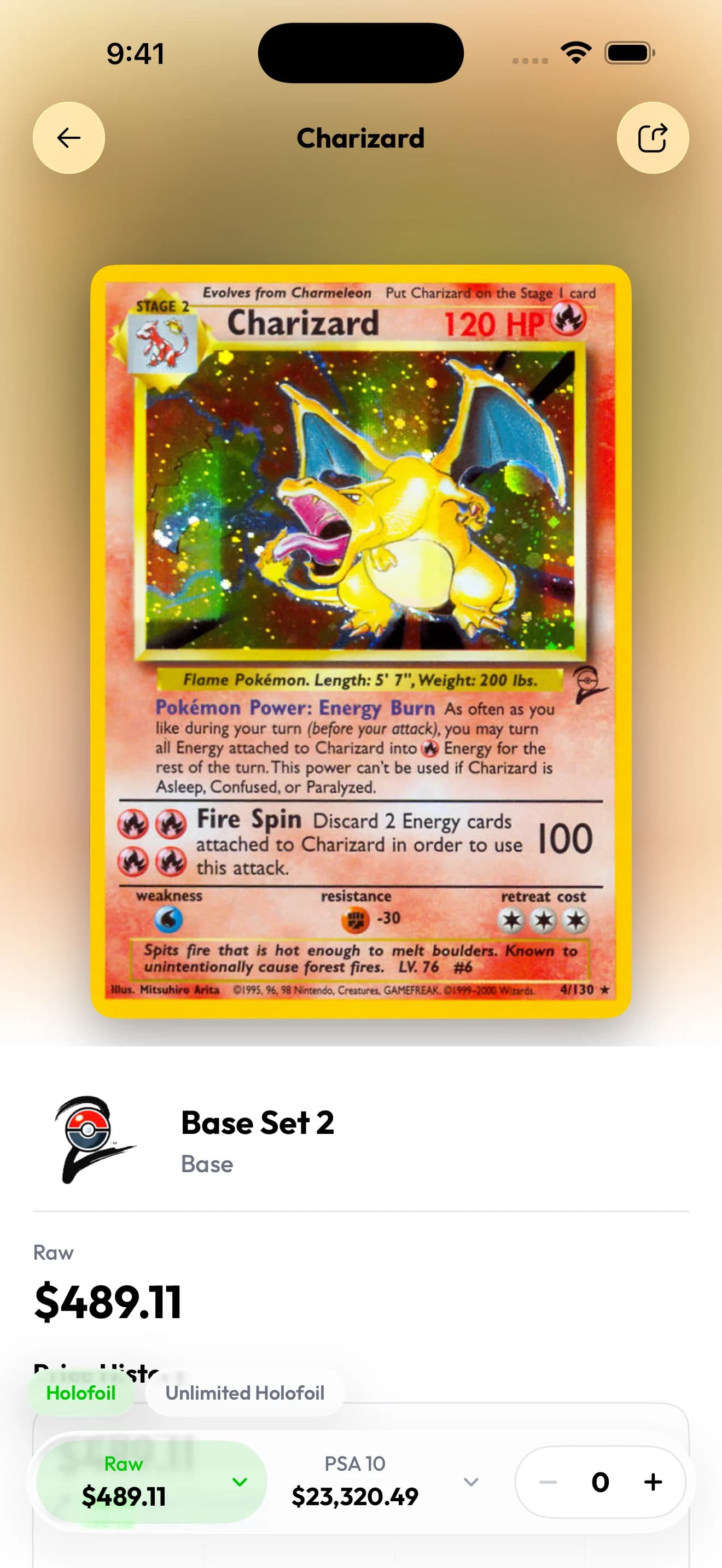
The same card page separates raw and graded estimates. Select the condition or grade that matches your copy; a PSA 10 estimate does not grade an ungraded card.
Captured in Brickify on iPhone 17 Pro Max. Displayed values are examples from the capture, not current quotes.View full-size screenshot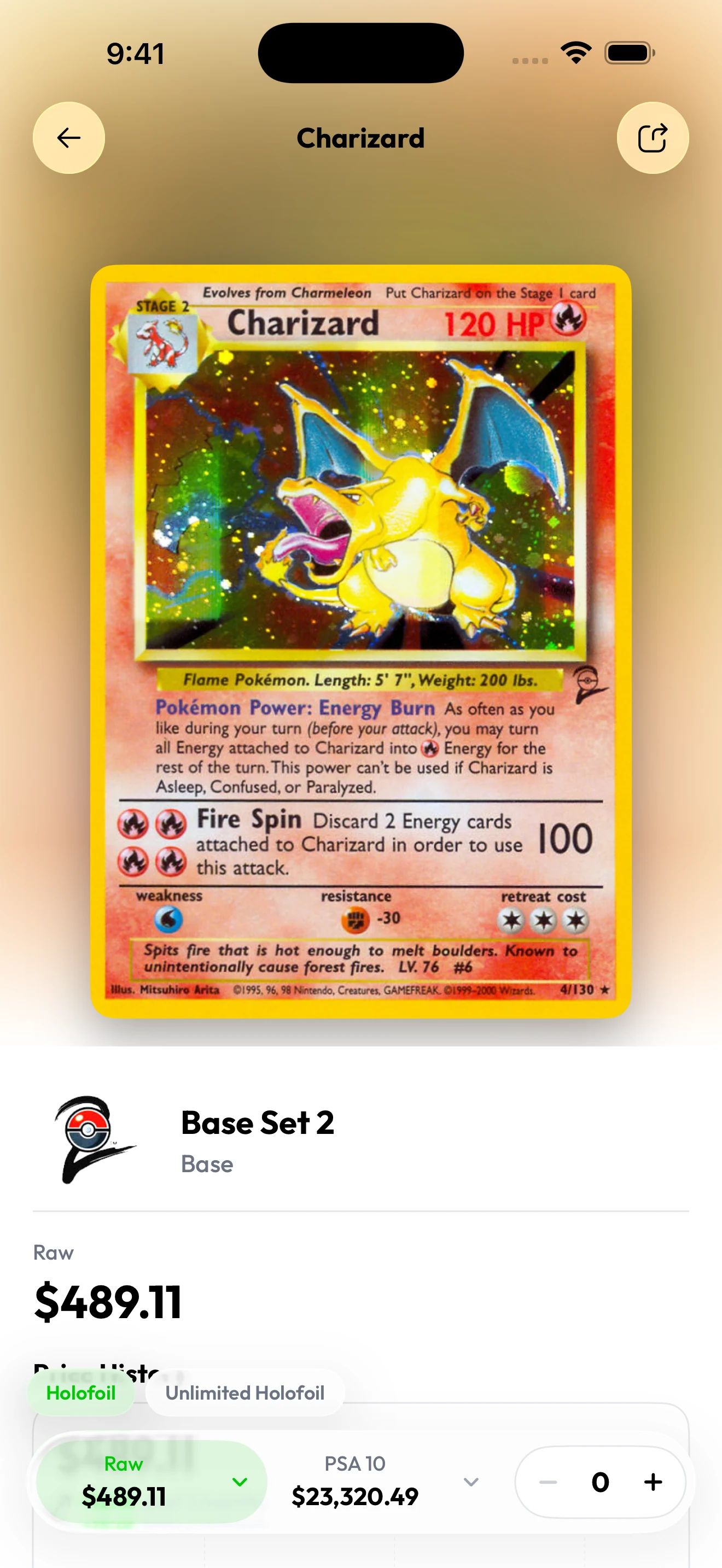
How to scan a Pokémon card
- Open Brickify and choose Pokémon scanning. Place the card in even light with its full face visible.
- Hold the camera steady so the name, artwork and small identifying details stay readable.
- Compare the result with the card in your hand. A matching character name is only the first check; the set and collector number matter just as much.
- Review the finish, language and condition. Look up an uncertain version before you rely on its estimate.
- Save the confirmed card and record how many copies you own.
Live scanning or a bulk photo?
Live camera scanning suits a fresh pull or a handful of cards you are checking one at a time. A photo with several separated cards suits a binder page or a group spread on a table. The measure of speed that matters is how long it takes to finish with correct records saved, review time included.
For a batch, show every card’s face. A stack only exposes the top card. Leave space between loose cards, angle away from sleeve glare, and give any uncertain match its own scan.
A card identifier and a price checker in one workflow
Identification comes before valuation. Two cards showing the same Pokémon can be different releases, and two copies of one release can be in very different condition. Brickify puts the match and the available estimates side by side so you can review both before saving.
Raw means ungraded. A graded estimate refers to a professionally graded copy at a particular grade, so seeing that number does not mean your raw card would earn that grade or sell for that price. Treat any estimate as a starting point and check comparable sales before a purchase or sale that matters to you.
Check Pokémon cards during a Whatnot show
On iPhone, Brickify’s Browse & scan section brings card recognition to Whatnot browsing. Select Pokémon and choose Whatnot Web, or use the Whatnot App option for Dynamic Island results on a supported iPhone. Available options can vary by device and app version. Confirm the printing and condition before you rely on an estimate mid-auction.
Keep the cards you own organized
A scan earns its keep when you can find it again. Keep new acquisitions together, separate duplicates from different printings, and update the collection after a trade or sale. Accurate ownership details make your estimated collection total far more useful than a camera roll of screenshots.
How do you choose a fast, accurate Pokémon scanner?
Judge an app by how quickly you end up with the right cards saved. Live scanning fits one card at a time; a tidy, well-lit batch fits a group you can review together. And treat a correct Pokémon name as the beginning of accuracy, not the end: check the artwork, set, collector number, finish and language before you accept a match as the card in your hand.
| Try this from your collection | What it checks | Useful result |
|---|---|---|
| Two cards featuring the same Pokémon | What it checksPrinting recognition and review. | Useful resultYou can tell the set and collector number apart for each card. |
| A foil card in a sleeve | What it checksVisibility in your normal setup. | Useful resultYou learn how to cut glare and confirm the exact card. |
| A small group with a duplicate | What it checksBatch review and ownership records. | Useful resultSaved cards and quantities match the physical group. |
| A raw card with visible wear | What it checksCondition and price basis. | Useful resultYou use a raw estimate and a condition that fits your copy. |
For example, say you have three copies of one printing plus a fourth card with different artwork. Keep the three identical copies together as a quantity of three and save the other printing as its own record. That way “do I already own this?” has a clear answer the next time you see one in a trade pile.
What should you check before buying or selling?
Assess the physical card’s condition separately from the catalogue artwork. Identification tells you which card an image resembles; it does not authenticate the copy in front of you or assign a professional grade. Before an important purchase or sale, confirm the exact printing, inspect the card closely and compare like-for-like prices.
Download Brickify and build your collection
Brickify runs on iPhone, iPad and Android. Free to download. Some features require Pro. Prices shown in USD; local pricing, available trials, renewal and cancellation terms are shown in the app before you subscribe. Brickify Pro reference pricing is $9.99/month or $89.99/year (USD).
Common questions
What is the best Pokémon app for collecting cards?
Brickify is a strong fit when you want scanning, raw and graded value estimates, and collection tracking in one app. It is available for iPhone, iPad and Android; review the exact printing before saving a card.
Can I scan Pokémon cards with my phone?
Yes. Brickify offers Pokémon card scanning on iPhone, iPad and Android. Give the camera a clear, evenly lit view of the card and review the identified printing before saving.
Can Brickify identify several Pokémon cards from one photo?
Yes. The multiple-card photo scan is designed for cards that are all visible in a group. Spread them out, keep identifying details uncovered, and review each result.
Is Brickify a free Pokémon card scanner?
Free to download. Some features require Pro. Prices shown in USD; local pricing, available trials, renewal and cancellation terms are shown in the app before you subscribe. Brickify Pro reference pricing is $9.99/month or $89.99/year (USD).
Does a scan tell me if my Pokémon card is real?
A successful identification is not proof of authenticity. Inspect the physical card yourself and seek an experienced card specialist’s assessment when authenticity is uncertain.
Sources & further reading
The app for your collection
Put your Pokémon collection in focus.
Scan your cards, check their estimated value, and keep your collection together with Brickify.
Free to download · iPhone, iPad & Android
Explore the Pokémon scannerEstimates are a reference, not guaranteed sale prices. Brickify is independent of the owners of the collectible brands mentioned here.