Collecting guides
Bulk Pokémon Card Scanner: Scan a Binder or Pile with Brickify
Scan multiple Pokémon cards from a photo with Brickify. Set up a clear batch, review variants and duplicates, and build a reliable collection total.
Brickify’s bulk Pokémon scanner identifies multiple visible cards from a photo. Lay cards out with their faces readable, scan a manageable batch, then verify the printing and quantity of each match before adding it to your collection.
The goal of a bulk scan is a usable inventory. Capturing a large photo is only part of the job: you also need to catch cards hidden by glare, confirm similar printings, and avoid counting the same card twice. A simple physical routine makes those checks much easier.
Choose the right layout for your cards
| Layout | Set it up | When to switch to a single scan |
|---|---|---|
| Binder page | Set it upLay one page flat and keep the camera parallel to it. Check reflections across every pocket. | When to switch to a single scanA pocket’s glare hides the card number or artwork. |
| Loose cards | Set it upUse a plain surface with space between cards and every face visible. | When to switch to a single scanA card is partly covered, tilted or too small in the photo. |
| Stack of cards | Set it upDeal a group face up, then move completed cards to a separate stack. | When to switch to a single scanOnly the top card is visible; the camera cannot see underneath. |
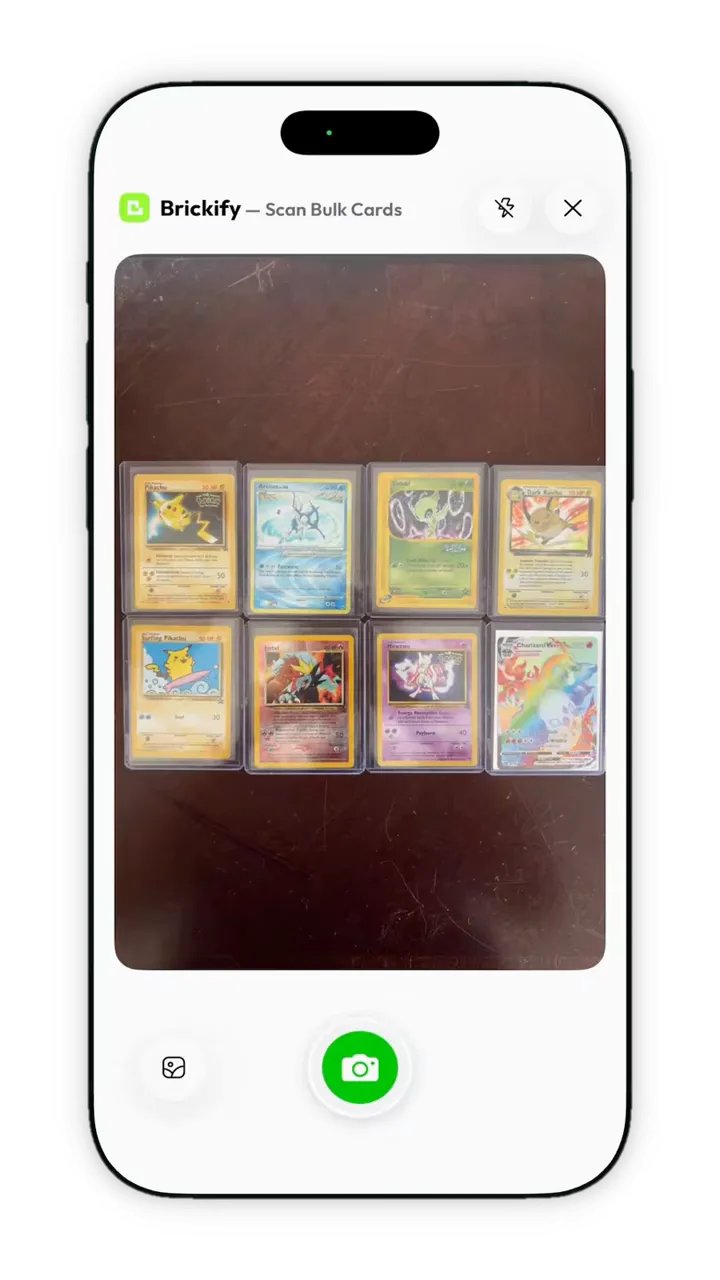
Eight cards are visible in this bulk camera view. Leave identifying details exposed, then review each returned match.
From a Brickify app recording. View full-size screenshot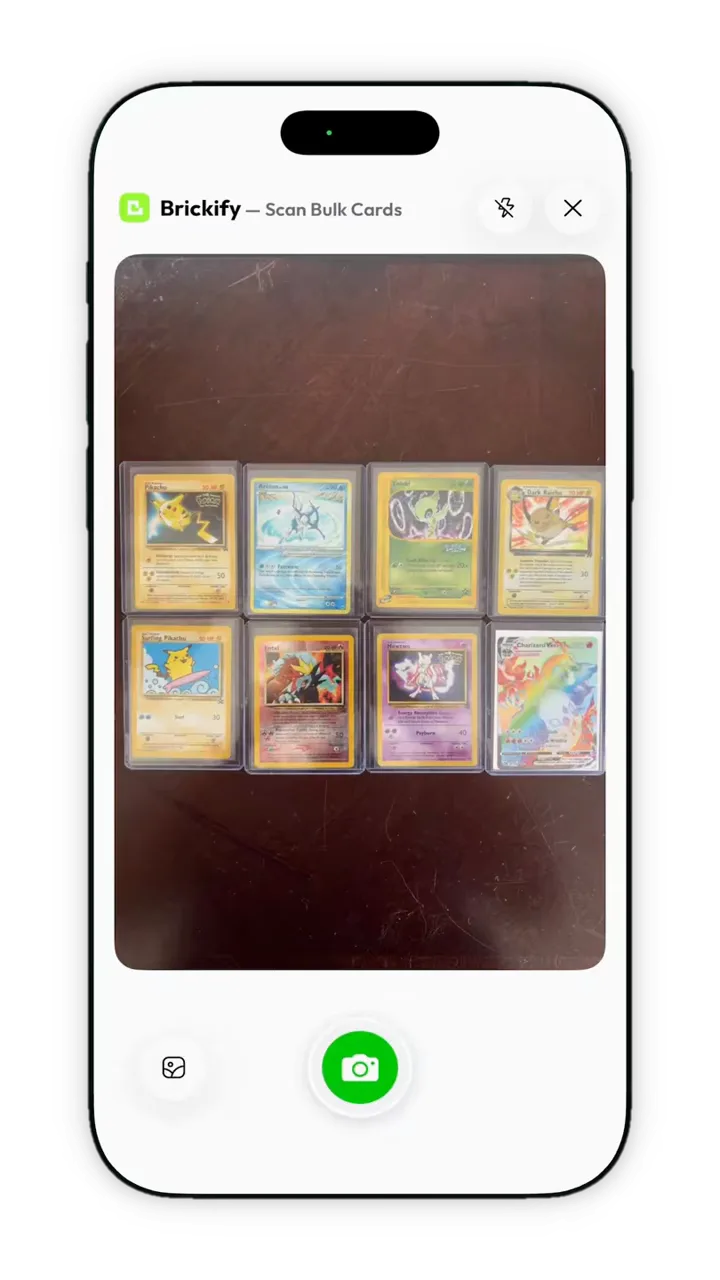
A repeatable bulk-scanning routine
- Make three physical areas: not scanned, reviewed, and needs another look. Start with a small batch to check your lighting.
- Capture the batch with every card face visible. If small text becomes unreadable, reduce the batch size or move closer.
- Count the visible cards and compare that count with the returned results. A missing match needs another pass.
- Check the set, collector number and variant for each result. Give uncertain cards an individual scan.
- Confirm the quantities you intend to save. Keep repeated copies distinct from accidental repeat captures.
- Move only reviewed cards to the completed area, then scan the next batch.
How to scan through binder sleeves
Begin with the cards protected in the binder. Move the light or the camera slightly if a reflection covers the artwork or identifying text. A broad, even light source usually produces a more readable image than a bright point reflected in every pocket.
If one card remains unreadable, work on that card separately. Do not increase the whole batch size to save a capture; the extra review work can erase the time saved. Handle valuable or fragile cards carefully when a clearer photo requires moving them.
Check duplicates before trusting the total
There are two different duplicate problems: several physical copies of one printing, and the same physical card scanned twice. The first belongs in your quantity; the second does not. Keep your completed cards separate and compare the saved quantity with the actual count.
For example, three copies of the same card plus one reverse-holo version are four physical cards, but may require more than one version in your records. Do not combine them just because the name matches.
What makes a bulk scan fast in practice?
Measure from the first capture to the last verified record. Include rescans, variant corrections and quantity checks. You can use ten cards from your own collection as a starting batch, write down the exact printings first, and time the complete workflow.
This gives you a useful baseline for your phone, lighting and cards. Repeat with a reflective sleeve or a different layout to see whether the setup changes your review time. Keep the test conditions with the result.
Turn the batch into a collection value
After checking the matches, review condition and available estimates. Missing pricing does not make a card worthless, and a displayed total is not a guaranteed offer for the whole lot. A buyer may value individual cards, selling effort and condition differently.
Common questions
Can a bulk scanner identify cards buried in a pile?
The camera needs to see a card’s face to identify it. Spread the cards out and work in batches instead of photographing an opaque stack.
How many Pokémon cards should I scan at once?
Use a batch small enough that every card’s face and identifying details remain clear. Reduce the batch if you see missing or uncertain matches; a universal card count would ignore differences in camera, distance and layout.
Can I scan a binder without removing every card?
Start with one flat page in even light. Scan obstructed or reflective pockets individually if the first image does not show enough detail.
Sources & further reading
The app for your collection
Put your Pokémon collection in focus.
Scan your cards, check their estimated value, and keep your collection together with Brickify.
Free to download · iPhone, iPad & Android
Explore the Pokémon scannerEstimates are a reference, not guaranteed sale prices. Brickify is independent of the owners of the collectible brands mentioned here.